Business License

The HDMI Family: Standard, Mini & Micro
In today'ss digital age, HDMI (High-Definition Multimedia Interface) has become an essential connector for linking modern devices such as televisions, computer monitors, mini PCs, smartphones, and tablets. As technology has advanced and devices have become more compact, HDMI has evolved into smaller variants—Mini HDMI and Micro HDMI—designed to meet the needs of portable devices like digital cameras and ultrabook laptops.
This article compares HDMI, Mini HDMI, and Micro HDMI, outlining their key differences, advantages and disadvantages, and the scenarios in which each is best used.
What Is HDMI?
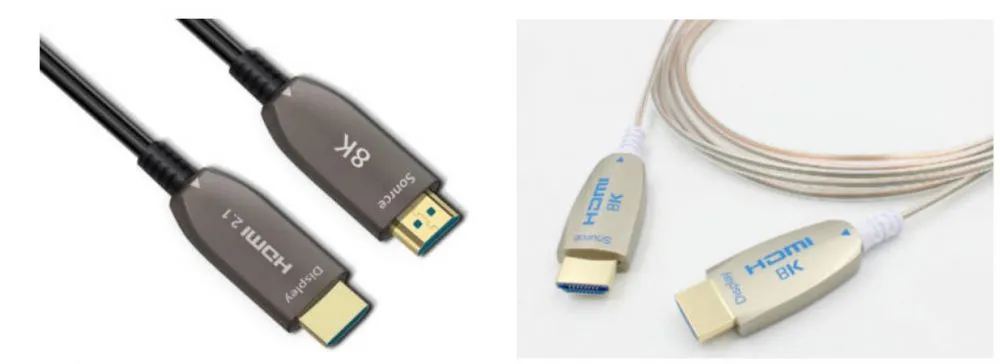
HDMI stands for High-Definition Multimedia Interface. It is a digital cable and interface standard used to connect devices that transmit video and audio signals.
In general, HDMI ports are commonly found on devices such as TVs, computers, gaming consoles, and cable or set-top boxes. One of the most significant advantages of HDMI is its ability to transmit both high-definition video and high-quality audio simultaneously through a single cable. HDMI also supports digital rights management (DRM) technologies, such as HDCP (High-bandwidth Digital Content Protection), which help prevent unauthorized copying and distribution of digital content.
The standard Type A HDMI connector measures 13.9 mm × 4.45 mm, while the receptacle measures approximately 14 mm × 4.55 mm. It features 19 pins and supports SDTV, EDTV, and HDTV formats, while remaining electrically compatible with single-link DVI-D.
Mini-HDM cable
Mini HDMI (Type C) cables are available in several versions depending on their intended use. With the increasing popularity of handheld devices such as DSLR cameras and camcorders, Mini HDMI was one of the first compact HDMI formats developed. It is officially classified as the Type C connector and is compliant with the HDMI 1.4 specification.
Compared to the standard HDMI Type A connector, the Mini HDMI interface is significantly smaller, measuring 10.42 mm × 2.42 mm. Despite its reduced size, it retains the same 19-pin configuration as Type A HDMI, delivering identical signal capabilities in a more compact form factor.
What is Micro HDMI?
Micro HDMI (Type D HDMI) is the smallest HDMI connector, measuring 5.83 mm × 2.20 mm. It closely resembles a micro-USB connector in appearance and, like other HDMI formats, features 19 pins, although the pin layout differs from that of standard and Mini HDMI connectors.
Designed for ultra-thin and compact devices, Micro HDMI supports the same high resolutions and bandwidth as standard HDMI, ensuring high-quality audio and video transmission. It is an ideal solution for lightweight, space-constrained devices such as smartphones, tablets, and compact cameras.
Comparison of HDMI, Mini HDMI, and Micro HDMI
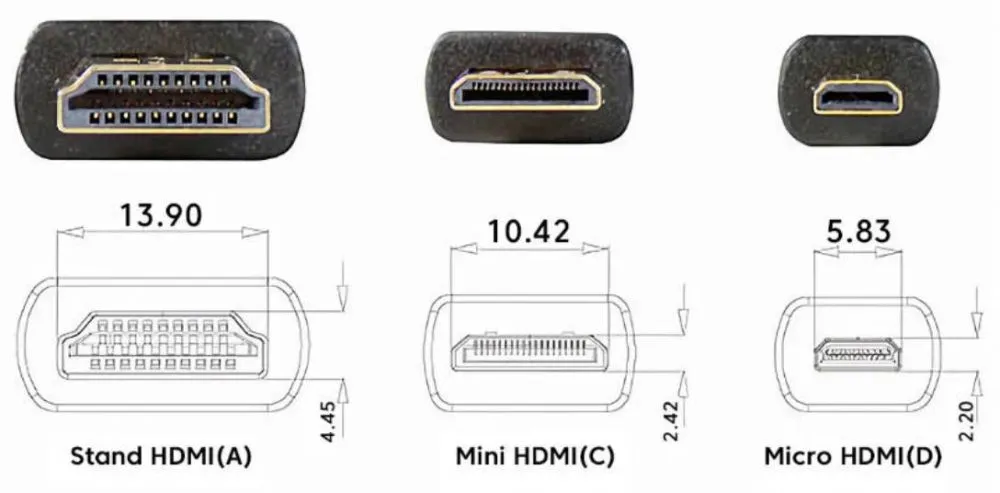
Standard HDMI (Type A) features the largest connector and is ideal for larger devices such as televisions, computer monitors, and gaming consoles. Its robust size ensures a stable and reliable connection, making it well suited for stationary setups, but it is not practical for portable devices.
Mini HDMI (Type C) offers a smaller alternative designed specifically for portable electronics such as digital cameras and ultrathin laptops. However, connecting a Mini HDMI device to standard HDMI equipment typically requires an adapter or a dedicated Mini-to-Standard HDMI cable.
Micro HDMI (Type D) is the smallest HDMI variant and is intended for ultra-compact devices like smartphones and portable cameras. While it excels in portability, Micro HDMI offers lower compatibility and is gradually being replaced by the more versatile USB-C interface.
All three HDMI types support high resolutions and high-bandwidth transmission, ensuring excellent audio and video quality. There is no significant difference in signal performance among standard HDMI, Mini HDMI, and Micro HDMI. The primary distinctions lie in their physical size and how well they integrate with different devices.
In terms of durability, standard HDMI connectors are the most robust due to their larger size and lower insertion frequency, making them ideal for long-term use in fixed environments. Mini HDMI provides a more compact solution for portable devices but may experience wear with frequent use. Micro HDMI, while the most portable, has the lowest durability and is more prone to damage due to its smaller and more delicate connector design.
Recently Posted
-
Fiber Optic HDMI: Market Outlook and Size Analysis
June 29, 2026The global HDMI fiber optic cable market was valued at $1.82 billion in 2025 and is projected to reach $4.67 billion by 2034. HDMI Read More
 -
DP Alt Mode: What is USB-C DisplayPort?
May 9, 2026In today's era that values versatility and convenience, the USB-C interface stands out as a universal connector, enabling seamless connection between laptops and monitors with a single cable for high-resolution video, clear audio, data transfer, and charging, while minimizing cable clutter. DP Alt mode, or DisplayPort Alternate Mode, allows the USB-C interface to transmit DisplayPort (DP) video and audio signals, while siRead More -
HDMI Cord for Samsung TV: How to Choose the Right Cable for Your Setup
April 18, 2026Wondering which HDMI cable your Samsung TV actually needs? You're not alone—it's one of the first questions that comes up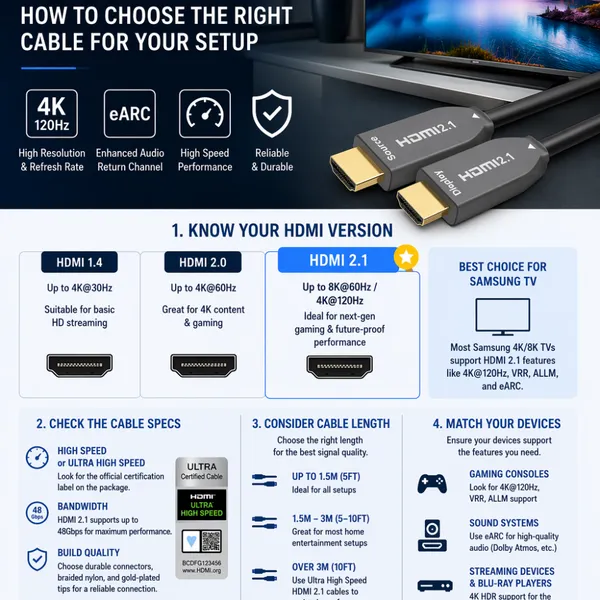 Read More
 -
why USB-C Is Replacing Traditional AV Cabling in Modern Meeting Rooms
April 4, 2026Walk into almost any older conference room and you’ll see the same thing, a pile of cables sitting in the middle of the table.With Read More

Contact Us
Recommended Products
-
 Customized 1 to 2 Passive Optical Toslink Splitter Cable Male to FemaleNegotiableMOQ: 10 Pieces
 -
Right Angled 1 to 2 Passive Optical Toslink Splitter Cable Male to MaleNegotiableMOQ: 1 Piece
-
8-Core Grey TPU OM3 Armored Fiber Optic CableNegotiableMOQ: 1 Piece
-
Bi-Directional 1-in-2-out Passive TOSLINK Optical Audio Splitter Cable-Male to MaleNegotiableMOQ: 10 Pieces
-
Fiber Optic USB C Active Optical Cable-USB3.2 AOC OEM FactoryNegotiableMOQ: 1 Piece
-
5m Meta Quest 2 Link Cable Factory Wholesale SupplierNegotiableMOQ: 1 Piece
-
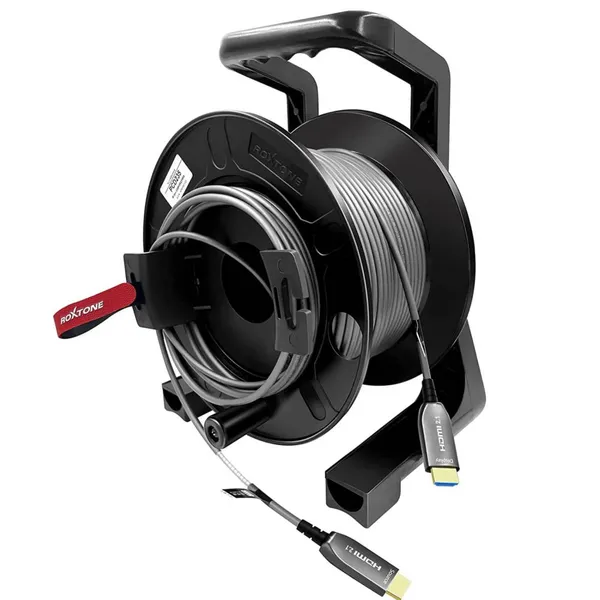
Armored 8K Fiber Optic HDMI 2.1 Active Optical Cable on Roxtone PCD 310 DrumNegotiableMOQ: 1 Piece
-
كابل بصري نشط USB-C بطول 10 أمتار، يدعم فيديو بدقة 8K ونقل بيانات بسرعة 10 جيجابت/ثانية، مزود بتقنية الشحن السريع PD70WNegotiableMOQ: 1 Piece
-
Fiber Optic USB 3.1 AOC-Active Optical Cable,Gen-2,10Gbps,AM to AFNegotiableMOQ: 1 Piece
-
Fiber Optic Type-c Active Optical 40GbpsNegotiableMOQ: 1 Piece
-
OEM Factory Wholesale 8K HDMI2.1 Fiber Optical Cable 48Gbps AM to AM for RTX3090, PS5, Xbox Series X, Roku/Fire/Sony/LG CX TVNegotiableMOQ: 1 Piece
-
DVI Fiber Active Optical Cable-AOC 10.2Gbps 4K@30HzNegotiableMOQ: 1 Piece
-
كابل ألياف ضوئية USB-C يدعم فيديو بدقة 8K بسرعة 10 جيجابت في الثانيةNegotiableMOQ: 1 Piece
-
USB-C to HDMI Fiber Active Optical Cable-AOC-4K/60Hz-15mNegotiableMOQ: 1 Piece
-
Super Slim Digital Toslink Optical Audio CableNegotiableMOQ: 10 Pieces
-
8K HDMI2.1 Fiber Optic Cable 4K/144HzNegotiableMOQ: 10 Pieces
-
كابل الألياف الضوئية النشطة HDMI2.1 فائق النحافة 8KNegotiableMOQ: 10 Pieces
-
4Fiber LC Tactical Armored Fiber Optic Cable ReelNegotiableMOQ: 10 Pieces
-
Ультратонкий активный оптический кабель HDMI 2.1 8K AM-AM-AM-48 Гбит/с-5 мNegotiableMOQ: 10 Pieces
-
Angled Digital Toslink Optical Audio Cable,Gold-Plated,4mm Black PVCNegotiableMOQ: 10 Pieces